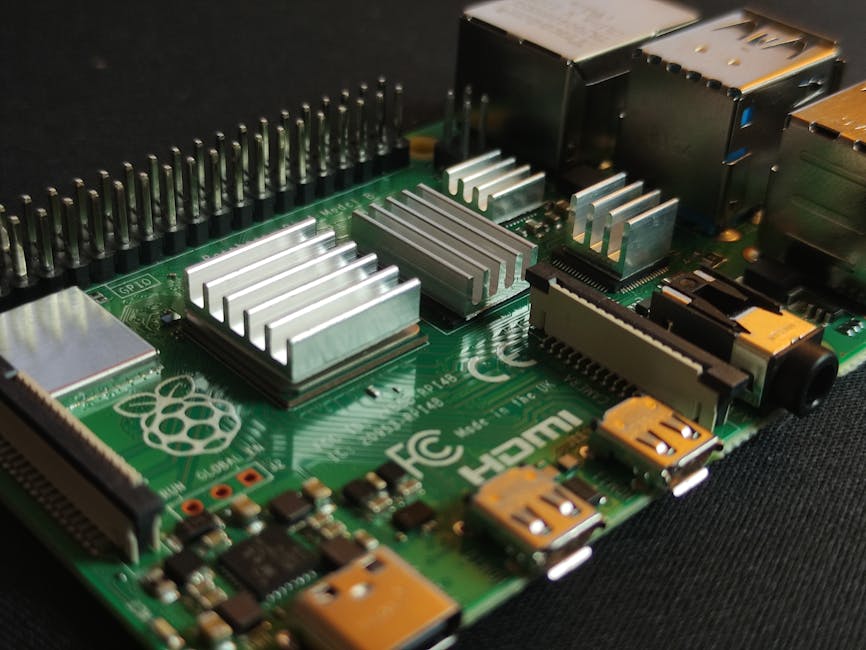
- Why a Raspberry Pi 6 Won’t Show Up Before 2028 (or Ship an NPU)
- Plan B for Edge ML: If Pi 6 Is Years Away and Has No NPU
- Fast, Cheap ML Today — Don’t Wait (Pi 6 likely >2028, no NPU)
Summary
Raspberry Pi 6 is unlikely to appear before 2028, and it’s also unlikely to include a dedicated NPU. If you need inexpensive, reliable edge ML now, plan around current Pi models plus external accelerators or alternative SBCs. Advantages/examples:
- Get inference latency and throughput now (Coral USB, Jetson Nano, Rockchip NPU boards) without waiting years.
- Keep projects low-cost and power-efficient using USB/PCIe accelerators or tiny single-purpose modules.
- Maintain simple software stacks and reproducible builds for deployed devices.
This guide explains why Pi 6 is unlikely to arrive soon with an NPU, practical alternatives, an example accelerator workflow, trade-offs, a concise parts/tools list, and pitfalls.
Why Pi 6 before 2028 (and with an NPU) is unlikely
- Release cadence and engineering cost: Raspberry Pi releases come with long design, validation, and supply-chain lead times. The Foundation prioritizes stable, general-purpose boards with broad software support rather than chasing high‑cost, specialized silicon.
- BOM, thermal, and cost constraints: Adding a neural processing unit increases BOM, thermal design, and support burden. That collides with the Pi’s low-cost ethos and the need to keep pricing predictable for education and hobbyist markets.
- Software and ecosystem maintenance: NPUs require dedicated runtimes, drivers, and model tooling. The Foundation would need sustained investment supporting multiple SoC/accelerator stacks across OS releases.
- Market alternatives exist: NPU-enabled SoCs and external accelerators are already available and improving, so the business case for integrating an NPU into a general-purpose Pi is weaker.
These points make a near-term Pi6-with-NPU improbable; a conservative plan is to assume no Pi 6 before 2028 with integrated NPU.
If you need ML acceleration today — approaches
Pick one of these depending on your constraints.
- USB/PCIe accelerators (fastest path)
- Coral USB Accelerator (Edge TPU) — easy plug-and-play for quantized TFLite models.
- Intel Movidius (OpenVINO) USB sticks — good for specific models and CV workloads.
- NPU-enabled SBCs (integrated accelerator)
- Rockchip/Allwinner boards with NPUs — higher power but integrated acceleration and often good performance for quantized models.
- NVIDIA Jetson (Nano/TX2/NX) — best for versatile FP16/FP32 workloads and larger models, but higher cost and power.
- Cloud or local microservices
- Offload heavy models to a local server or cloud if latency and privacy allow.
Quick example: Add a Coral USB Accelerator to a Raspberry Pi (workflow)
Minimal steps to get Edge TPU acceleration on a Pi (generic, tested approach — check official Coral docs for the latest packages).
Install system deps and Python tools: sudo apt update sudo apt install -y python3-pip python3-venv python3 -m venv venv && source venv/bin/activate pip install --upgrade pip pip install pycoral tflite-runtime pillow numpy
Basic Python inference using pycoral (assumes a quantized .tflite Edge TPU model): from pycoral.utils.edgetpu import make_interpreter from pycoral.adapters.common import set_input, output_tensor from PIL import Image import numpy as np
model = 'model_edgetpu.tflite' img_path = 'input.jpg'
interp = make_interpreter(model) interp.allocate_tensors()
img = Image.open(img_path).resize((224, 224)) set_input(interp, np.asarray(img).astype('uint8')) interp.invoke() print(output_tensor(interp, 0))
Notes:
- Models must be compiled/quantized for Edge TPU. Use TensorFlow Lite quantization and Coral compiler where applicable.
- If you need non-quantized FP32 models, consider Jetson devices instead.
Alternatives and trade-offs
-
USB accelerators (Coral, Movidius)
-
Pros: inexpensive, low integration cost, works with existing Pi boards.
-
Cons: limited model types (quantized), USB bandwidth/latency.
-
Jetson series (Nano, Xavier NX)
-
Pros: native GPU/NPU-style acceleration, wider model compatibility, good SDKs.
-
Cons: higher cost, higher power draw, steeper learning curve.
-
NPU‑enabled Arm SoCs (Rockchip, HiSilicon clones)
-
Pros: integrated acceleration, low-power options.
-
Cons: spotty mainline kernel support, vendor toolchains, varying software maturity.
-
Cloud
-
Pros: scalable, supports any model type.
-
Cons: latency, privacy, ongoing cost.
Choose by weighing: budget vs. latency vs. power vs. software maintenance. For many tinkerer/developer projects the USB Edge TPU is the best tradeoff for cost and simplicity.
Parts / tools (minimalist)
- Raspberry Pi 4 or 5 (current Pi) with power supply
- Coral USB Accelerator (or Intel Movidius stick) OR NVIDIA Jetson Nano (if higher power/FP models)
- microSD card (16 GB+), USB-C power supply (as required by board)
- USB 3.0 hub (optional for multiple devices)
- Keyboard/monitor/SSH access for setup
- Optional: heatsink or active cooling for Jetson / high-load Pi use
Tips, pitfalls, and gotchas
- Quantization requirement: Edge TPU needs 8-bit quantized TFLite models; plain FP32 models won’t run on it.
- Thermal throttling: small boards throttle under sustained load. Add cooling or plan throughput around duty cycles.
- Driver and OS mismatch: accelerators sometimes require specific kernel modules or distro versions — match your OS to vendor recommendations.
- Model compile step: for Coral you often must compile the model with the vendor compiler to target the accelerator.
- Benchmark in-place: synthetic benchmarks lie; test with your actual workload and input pipeline to validate latency and CPU overhead.
Final word
Don’t assume a Pi 6 with a built-in NPU is the shortcut — it’s safer to design around current boards and existing accelerators. For rapid, low-cost, and reliable ML on the edge, add a USB/PCIe accelerator or use an NPU-enabled SBC depending on your budget and power envelope. That gives you predictable performance today instead of a risky wait.
Parts & Tools
- Raspberry Pi 4
- Raspberry Pi 5
- USB-C power supply for Raspberry Pi
- Coral USB Accelerator
- Intel Movidius Neural Compute Stick
- NVIDIA Jetson Nano
- microSD card 16 GB
- USB microSD card reader
- USB 3.0 hub
- USB keyboard
- HDMI monitor
- HDMI cable
- Heatsink for Raspberry Pi
- Active cooling fan for Raspberry Pi
- Heatsink for Jetson Nano
- Active cooling fan for Jetson Nano